Add a range in one go
From product links, a spreadsheet or by hand. You check what was found before anything is saved.
ModulesProducts
Paste your product links and DFIRST fetches the photos, the description, the price and the specs. Then mention a product in any prompt, and the picture shows the real thing with the right name.
Three links become three ZESTA products, then one of them goes into a picnic photo.
From product links, a spreadsheet or by hand. You check what was found before anything is saved.
Up to twenty photos, the description, price, claims, specifications and variants for each product.
Pick a product in a prompt or drop it on the board. Its photos and facts go with it.
Paste one product link or fifty. Choose what to fetch: photos, the full description, specs and dimensions. You see each product before it’s added. A spreadsheet works too: map its columns once and import the lot.
Product links with photos, description and specs.
CSV or XLSX import with column mapping, and live details from a link column.
Add manually with a name, a description and a photo.
From the board, a scraped product page can be saved straight into Products.
Each product keeps its photo gallery, name, brand, SKU, category and price, the claims you can make about it, a full description, a specifications table and its variants, with the page it came from and the date it was read.
Up to twenty photos, the first one is the hero.
Claims and specs the agent can quote correctly.
Tags and search to find the right product fast.


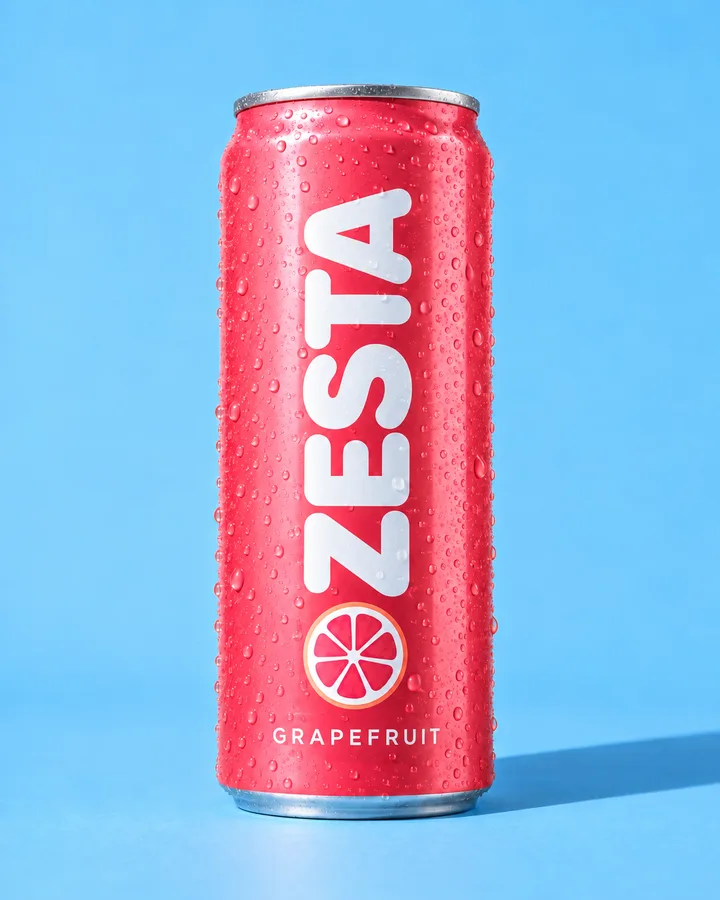

Type @ in a prompt and pick a product, or drag it from the grid onto the board and connect it to an image or a video. Its photos and description travel with the request, so the result shows your can, your label and your name.
@ in chat and on the board, next to your people and places.
Drag onto the board to make a product card you can connect.
Firsty can look up your range, so a brief can name a product in plain words.
Products in DFIRST, recorded as it runs: links go in, the details come back, the catalogue fills up.
The product stays the product: the same can, the same name, the price you set. Everything around it can change.
Every size from one design, with the real photo, the right name and the price from the product page.
Summer is the season.ZESTA Grapefruit · €1.90
Sharp lime, served very cold.ZESTA Lime · €1.90
One of each.Four-pack · €6.90

Your can in a new place, with the people from your references.
Turn a product shot into a short film for a story or an ad.

Feed posts, stories and ads with the right product in each one.
What people ask before they bring their catalogue.
Most product pages work. Some shops protect their pages from automatic reading, which can make fetching slower. If a page won’t open, add the product from a spreadsheet or by hand.
Not automatically yet. When your range changes, add the new products from their links or from a spreadsheet.
Up to twenty. The first photo is the hero that shows on cards and in the grid.
Yes. Add one by hand with a name, a description and a photo, or import a CSV or XLSX file.
Type @ and pick it in a session or on a card, or drag it from the grid onto the board. Its photos and description go with the request.
Every module feeds the others, so what one learns, the next one uses.
Paste one product link and make its next campaign picture in the same afternoon. DFIRST opens to people on the waitlist first.